

Local SEO Reporting Tools — Measure Progress and Drive Local Growth
Local SEO reporting tools collect, analyze, and visualize the signals that determine how visible a business is in local search. They help teams connect search performance to real outcomes — foot traffic, phone calls, website visits and, ultimately, revenue in a specific geography. This guide walks through the best reporting tools today, how to measure Google Business Profile (GBP) performance, why agencies use white‑label reports, which KPIs matter, and how to automate reporting. You’ll get practical comparisons, feature checklists, and step‑by‑step sequences for integrating and automating data — plus clear definitions of local rank tracking, citation and review management, geo‑grid tracking, and white‑label reporting so you can pick tools that move the needle.
Reporting and analytics in SEO tools keep evolving — and staying current is essential for improving local search performance.
Enhancing SEO Tools with Reporting & Conversion Analytics
Research shows clear opportunities to strengthen SEO tools: better reporting, plus the inclusion of social metrics and conversion analytics, would make these platforms more actionable for practitioners.
SEO Tools: Looking at SEO Specialists as a user class, 2011
What Are the Best Local SEO Reporting Tools Available Today?
Local SEO reporting platforms bring together rank tracking, Google Business Profile data, citation health and review signals so teams can see what changed and why. The best tools combine precise local rank tracking (geo‑grid and device simulation), reliable GBP syncs, citation crawls, and white‑label reporting for agencies and multi‑location brands. Below is a concise comparison of leading platforms with a one‑line summary of each tool’s core strength to help you choose for single locations, multi‑location scale, or agency reporting needs. Use this to match reporting cadence, budget and integration requirements to the right toolset.
Different tools map to common use cases as follows:
| Tool | Key Feature | Best Use Case |
|---|---|---|
| BrightLocal | Local‑first rank tracking and Google Business Profile integration | Single‑location or multi‑location reporting with a GBP focus |
| SEMrush | Broad SEO dataset with competitive insights | In‑house teams that combine national SEO with local analysis |
| Moz Local | Citation distribution and health checks | Small businesses focused on NAP consistency and directory coverage |
| Whitespark | Local citation discovery and link opportunity discovery | Citation audits and local link building campaigns |
| AgencyAnalytics | White‑label dashboards and client reporting | Agencies that need branded, automated client reports |
This overview shows where each tool delivers immediate value and how they fit into local search workflows. With those use cases in mind, let’s look at the features that matter most in local rank trackers.
Which Features Define Top Local SEO Rank Trackers?
Top local rank trackers pair tight geographic targeting with historical context so you can see neighborhood‑level shifts and device differences. Must‑have features include geo‑grid tracking that maps rank across coordinates or ZIPs, device and search simulation to mimic real SERPs, keyword grouping and intent mapping for business‑relevant terms, and historical trend reporting with scheduled exports for recurring client reports. A geo‑grid, for example, reveals where visibility is strong or weak across a trade area and shows how local pack presence moves over time. These capabilities are particularly useful for multi‑location brands and agencies that need to diagnose local differences and prioritize on‑the‑ground fixes.
The next decision is which platforms implement these features for agencies (white‑label) versus teams that want raw data for in‑house analysis.
How Do Tools Like BrightLocal and SEMrush Compare?
BrightLocal centers on local search workflows: tight GBP integration, automated citation audits and simple white‑label report templates that fit agencies and single‑location businesses focused on GBP results. SEMrush provides broader SEO telemetry — backlink data, national and local rank tracking, and competitive research — making it a strong choice for teams that need local insights within a wider organic and paid strategy. Choose BrightLocal if you need local‑first detail; choose SEMrush if you want an integrated SEO suite.
Use this quick checklist when deciding:
- BrightLocal: Best for local pack monitoring, GBP reporting and citation management.
- SEMrush: Best for combined organic/local strategy, deep keyword research and competitor intelligence.
- Agency choice: Match white‑label needs, export options, budget and integrations to your workflow.
Once you pick the right tool, the next focus is extracting GBP performance and tying it to conversions and offline outcomes.
If you’d rather have help choosing and implementing the stack, DockSyde Creative works hands‑on to configure local rank tracking and build reports aligned to client KPIs. We specialize in SEO, Google Business Profile optimization, citation management and review programs, and can set up dashboards and reporting cadences for single or multi‑location operations.
How Can You Effectively Track Google Business Profile Performance?
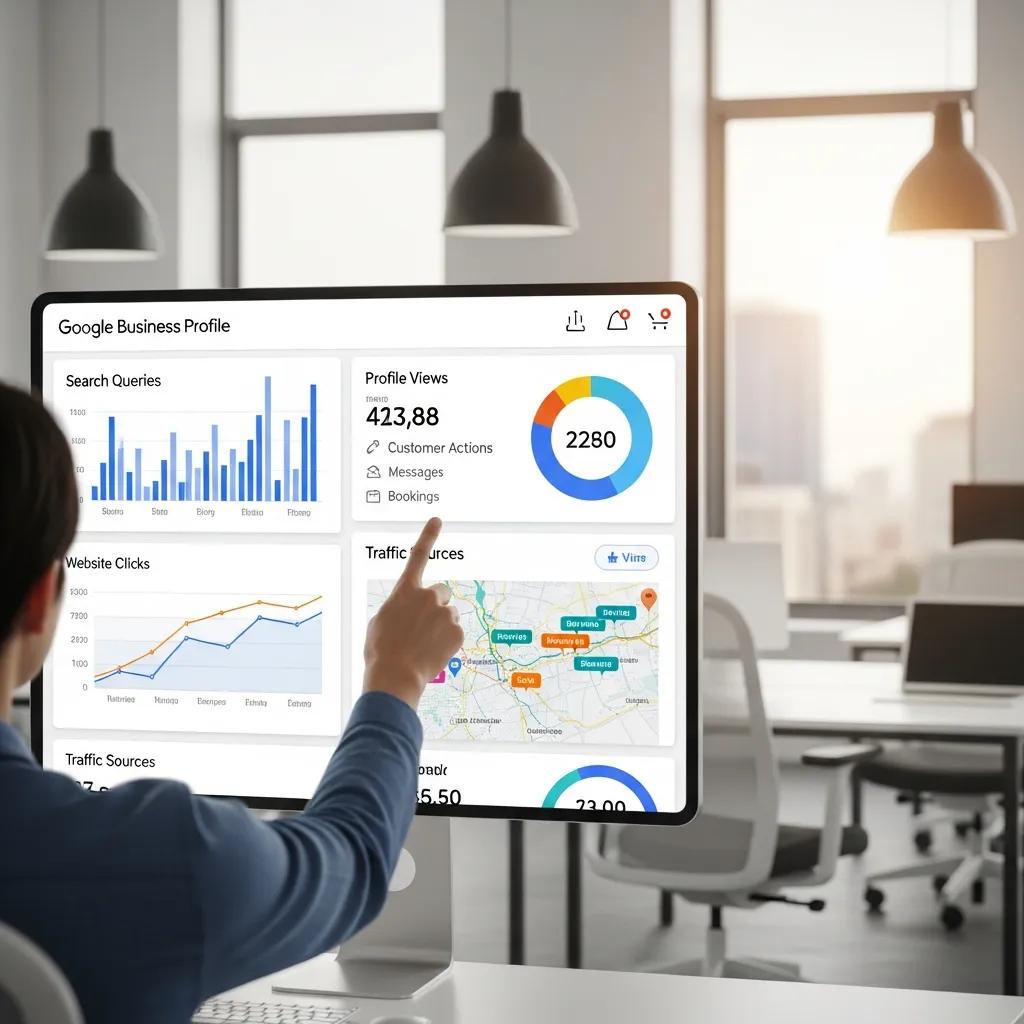
Tracking GBP performance means collecting search and map impressions, customer actions and engagement from photos and posts so you can judge how GBP drives discovery and conversions. Combine GBP Insights with Google Analytics and Search Console to triangulate visibility, referral traffic and on‑site conversions tied to GBP. Track trends in search views, map views, website clicks, calls and direction requests to refine GBP content, respond to reviews and test posts that lift CTR and offline conversions. This integrated approach links local pack signals to measurable outcomes and helps prioritize the optimizations that actually move the business forward.
Research consistently shows an optimized Google Business Profile is a major driver of local visibility and real business growth.
Google Business Profile’s Impact on Local Search & Business Growth
This study examines how Google Business Profiles help businesses appear in local searches and connect with customers. It looks at how accurate location, contact details, hours, website links, reviews and images influence consumer decisions and how an active, updated GBP improves visibility on Maps and local search.
A STUDY ON THE IMPACT OF GOOGLE BUSINESS PROFILE ON BUSINESS SUCCESS, B Sharma, 2025
What Key Metrics Should You Monitor in Google Business Profile Insights?
GBP Insights breaks out discovery, interest and engagement — and each needs a different response. Track search and map views to measure discovery and seasonality; monitor customer actions (website clicks, calls, direction requests) to quantify engagement; and watch photo views and post interactions to test visual and messaging changes. We recommend weekly checks for anomalies and monthly trend analysis for strategy updates. Benchmarks vary by category and location, but aim for steady month‑over‑month growth in search views and a higher actions‑per‑view ratio.
How Does Review Management Impact Local SEO Performance?
Reviews shape local SEO through volume, velocity, average rating and response rate — all of which influence trust signals and click‑through from the local pack. Soliciting reviews, responding quickly and addressing negative experiences lift sentiment and can improve conversion rates from GBP listings. Automated monitoring and sentiment analysis help prioritize responses. Including review feeds in client reports gives visibility into reputation trends and flags where operational fixes are needed. Regular review analysis also sparks content ideas for GBP posts and FAQs that address customer concerns and improve discoverability.
Operationalize review tracking by adding review volume and sentiment widgets to dashboards and setting alerts for sudden rating drops so teams can act fast.
What Are the Benefits of Using White Label Local SEO Reports for Agencies?
White‑label local SEO reports let agencies deliver consistent, branded insights while saving time with scheduled exports and reusable dashboards. The main benefits are stronger client retention through professional presentation, time savings from templates and automation, and the ability to tailor KPIs per client while keeping centralized data hygiene. White‑label reporting also scales easily: clone dashboards across clients, map client KPIs to widgets, and add narrative sections that convert data into prioritized actions. That frees technical teams to do the work while account teams focus conversations on impact and next steps.
How to Create Customizable Local SEO Performance Dashboards?
Build dashboards from reliable sources, clear visuals and a tight set of headline metrics that answer client questions at a glance. Core widgets include rank trends, GBP actions and impressions, citation health, and review sentiment timelines; pull data from GBP, Analytics, Search Console and your rank tracker for context. Use simple line charts for trends, bars for comparisons and scorecards for top KPIs — design mobile‑friendly layouts for busy stakeholders. Lead with “what changed” at the top, then explain “why it changed” and “what to do next” below, so dashboards guide decisions rather than just show numbers.
Repeatable templates and scheduled exports make dashboards operational; the section below covers how to present findings and counsel clients.
What Are Best Practices for Client Reporting and Communication?
Good client reporting combines a steady cadence, clear narratives and prioritized next steps tied to agreed KPIs. Use weekly monitoring for alerts, monthly performance reports with short narratives, and quarterly strategy reviews to reassess keywords and local content. Each report should open with an executive summary, show key visuals, explain why metrics moved and list 2–3 prioritized actions. Set benchmarks and expected timeframes early to align expectations and reduce friction.
Agencies that follow these standards turn reporting into decision moments rather than passive deliverables. DockSyde Creative offers white‑label report templates and communication playbooks to help agencies automate exports, preserve brand voice and keep client conversations focused on outcomes.
Which Key Local SEO Metrics and KPIs Should You Track?
Track KPIs that tie to business outcomes, not vanity metrics. Core measures are visibility (local pack impressions, organic local clicks), engagement (GBP actions, website CTR, calls/forms) and conversions (leads, tracked calls, direction requests, offline conversions). Give each KPI a measurement method, a target when possible, and a review cadence so visibility gains link back to revenue. Prioritize by business value — calls and directions for walk‑in businesses, web leads for appointment services — to keep reports actionable and aligned with growth goals.
| Metric | How It’s Measured | Why It Matters / Benchmark |
|---|---|---|
| Local pack impressions | GBP Insights / Search Console | Shows discovery — target steady month‑over‑month growth |
| Organic local clicks | GSC + GA filtered by location pages | Traffic from local queries; benchmarks vary by category |
| GBP actions (calls/website/directions) | GBP Insights + call tracking | Direct engagement tied to conversions — improve actions per impression |
| Citation consistency | Citation audit tool | Influences trust and ranking — aim for 90–95% NAP consistency |
| Review rating & velocity | Review management feed | Drives CTR and conversions — aim for steady rating improvement |
This table helps stakeholders interpret KPIs and set realistic targets by category. Next we cover practical methods to measure visibility and conversion rates and how citations factor into reporting.
How to Measure Local Search Visibility and Conversion Rates?
Measure visibility with rank tracking (geo‑grid and keyword sets), impressions from Search Console and GBP, and by triangulating these with organic local clicks in Analytics to isolate local traffic. For conversions, use call tracking, goal‑based events in Google Analytics (form submissions, bookings) and UTM‑tagged landing pages from GBP links to ensure correct attribution. Map keywords by intent (transactional vs informational) to likely outcomes so you prioritize terms that drive high‑value leads. Where possible, reconcile offline data — match call logs or CRM entries to reported leads — to refine conversion benchmarks and increase reporting accuracy.
Accurate visibility‑to‑conversion mapping improves ROI calculations and helps prioritize local SEO tasks in future reports.
What Role Does Citation Management Play in Local SEO Reporting?
Citation management protects NAP consistency across directories and is a core local ranking and trust signal — inconsistencies can fragment signals and harm relevance. Citation audits find mismatches, duplicates and missing listings in key directories; tracking citation health over time prevents regressions and supports stable rankings. Reports should include a citation snapshot, the primary directories checked, and remediation steps for any issues. Because citation health can affect local algorithm behavior, including these metrics in recurring reports helps teams correlate fixes with rank movement.
| Data Source | Integration Method | Frequency / Automation Options |
|---|---|---|
| Google Business Profile | API or scheduled exports | Daily monitoring for critical changes; weekly rollups |
| Google Analytics | GA4 property linking and event tracking | Continuous collection; monthly reporting |
| Google Search Console | Property verification + API pulls | Weekly or monthly pulls for query data |
| Rank Tracker | API or CSV exports from tool (geo‑grid) | Scheduled daily/weekly crawls with historical storage |
| Citation Tools | API or periodic crawls | Monthly audits with alerts for discrepancies |
This integration table outlines how to pull data and recommended automation cadences to help technical teams build unified dashboards. The section that follows describes a repeatable reporting strategy.
How Do You Implement an Effective Local SEO Reporting Strategy?
Start by defining KPIs and baselines, then choose complementary tools and connect GBP, Analytics, Search Console and rank tracking into a single dashboard. Prioritize data quality — verify tracking codes, confirm GBP ownership and lock down a consistent keyword list — then schedule automated reports and anomaly alerts so teams focus on significant changes. A practical sequence is: pick target locations and keywords, configure crawls and exports, connect data via APIs or ETL, design client dashboards, and set a communication cadence that turns data into prioritized actions. Automate routine reporting to save analyst time, but keep human review for interpretation and strategy.
Below is a step‑by‑step checklist for setting up rank tracking and integrations that teams can reuse across clients and locations.
- Define primary KPIs and record baseline metrics for visibility, engagement and conversions.
- Assemble a keyword list by intent and map each term to landing pages or GBP content.
- Configure your rank tracker with geo‑grid points, device simulation and competitor sets; schedule regular crawls.
- Verify GBP ownership and connect it to your reporting tool; enable Insights exports or API access.
- Link Google Analytics and Search Console, ensure conversion events are tracked, and add call tracking if needed.
- Build unified dashboards with headline metrics, trend charts and narrative sections; schedule automated exports and alerts.
- Review reports regularly, assign action items and iterate keyword priorities and local content based on findings.
Follow these steps to create a repeatable workflow that scales across locations and clients. The final section covers automation benefits and guardrails.
What Are the Steps to Set Up Local Rank Tracking and Data Integration?
Begin by choosing representative locations, creating keyword buckets by intent, and scheduling crawls during peak search periods for your market. Set geo‑grid coordinates that sample neighborhoods and match device types for realistic SERP snapshots, add competitor locations for context, and retain historical data for trend analysis. Integrate by pulling APIs or CSV exports from GBP, rank trackers and citation tools into a dashboard or BI tool, and align each source on a common timeline for clear visualization. Include verification steps to confirm tracking accuracy and a maintenance schedule to refresh keyword lists and crawler settings.
Proper setup reduces false positives and ensures reports reflect real‑world discoverability across a brand’s service area.
How Can Automated Reporting Tools Save Time and Improve Insights?
Automation slashes manual reporting time by scheduling exports, filling dashboards and flagging anomalies like rank drops or GBP issues. It helps detect trends, surface outliers and deliver consistent KPI snapshots so analysts can spend time on interpretation and remediation, not data assembly. Automation does need guardrails: schedule periodic manual reviews to validate anomalies, spot gaps and add strategic context tools can’t provide. Pair automated alerts with human checks to speed response while keeping insights reliable.
Periodically sample automated reports and review rules to ensure accuracy and preserve the human oversight needed for meaningful recommendations.
If you want help building and automating this stack, DockSyde Creative offers implementation support focused on GBP optimization, citation and review management, and tailored reporting setups that connect local search performance to business outcomes.
For a hands‑on evaluation, DockSyde Creative provides a complimentary local SEO audit to identify the highest‑impact reporting and optimization opportunities for your locations and goals.
Frequently Asked Questions
What is the importance of local SEO for small businesses?
Local SEO makes it easier for nearby customers to find your business online. By optimizing listings, reviews and local content, small businesses increase foot traffic, phone leads and website visits — all of which translate into measurable revenue. Simple local SEO actions, like keeping your GBP updated and managing reviews, help you compete in your neighborhood.
How often should I monitor my local SEO metrics?
Check key KPIs weekly for anomalies (sudden drops in impressions or GBP actions) and review trends monthly to guide strategy. Weekly checks catch urgent issues; monthly reviews reveal meaningful shifts and help plan optimizations.
What are the common mistakes to avoid in local SEO reporting?
Avoid reporting vanity metrics without context, failing to track trends over time, and not integrating multiple data sources. Also don’t skip setting benchmarks — without them numbers are hard to interpret. Keep reports clear, goal‑focused and tied to business outcomes.
How can I improve my Google Business Profile for better local SEO?
Keep your GBP accurate and complete: name, address, phone, hours and categories. Post regularly, add quality photos, respond to reviews and use Q&A. Monitor Insights and test what content drives clicks and calls, then iterate based on real results.
What role do online reviews play in local SEO?
Reviews affect trust and can influence local rankings and CTR. A steady flow of positive reviews and timely responses to feedback improve reputation and conversions. Encourage satisfied customers to leave reviews and respond to negatives professionally to protect your local visibility.
Can I automate my local SEO reporting process?
Yes. Tools can schedule exports, generate dashboards and send alerts so your team spends less time collecting data and more time acting on it. Keep routine manual reviews in place to validate anomalies and add strategic interpretation that automation can’t provide.
What are the best practices for presenting local SEO reports to clients?
Use a consistent cadence, clear visuals and concise narratives. Each report should include an executive summary, key metric visuals, an explanation of why numbers changed and 2–3 prioritized next steps. Tailor reports to client goals and revise formats based on feedback to keep them useful.