
Set up personalized Google Business Profile notifications for real‑time alerts and review management
Timely Google Business Profile (GBP) alerts stop missed messages and unmanaged reviews from hurting your reputation. This guide breaks down how GBP notifications work, why real‑time alerts matter for customer engagement and local SEO, and how to configure delivery across email, mobile push, and third‑party tools. You’ll learn which notification types exist, how to balance channels to avoid alert fatigue, and when to use monitoring platforms or the GBP API to scale across locations. We also cover practical operations—role assignment, SLAs, CRM integration—so alerts become measurable lead sources. Follow the step‑by‑step checks, tables, and tool comparisons to set up notifications that drive timely action.
Customize GBP Alerts for Real-Time Review Management
Personalized GBP alerts notify you when key events—new reviews, messages, or profile edits—happen so you can act immediately, protect your reputation, and convert interest into leads. The sequence is simple: event → notification → action. Faster responses mean fewer missed interactions and quicker issue resolution. Research and industry reports link faster reply times to better conversion in local search, so real‑time alerts directly support lead capture. Below are the core business benefits and why you should enable tailored notifications.
Putting real‑time data at the center of operations is a proven way to stay competitive and respond to opportunities as they appear.
Real‑time monitoring improves performance and insight
Real‑time access to performance data helps organizations respond to a changing environment and large data volumes. Advanced monitoring and analysis uncover trends, anomalies, and opportunities as they emerge, supporting faster, more informed decisions.
Real‑time business activity monitoring and analysis of process performance on big‑data domains, R Colomo‑Palacios, 2016
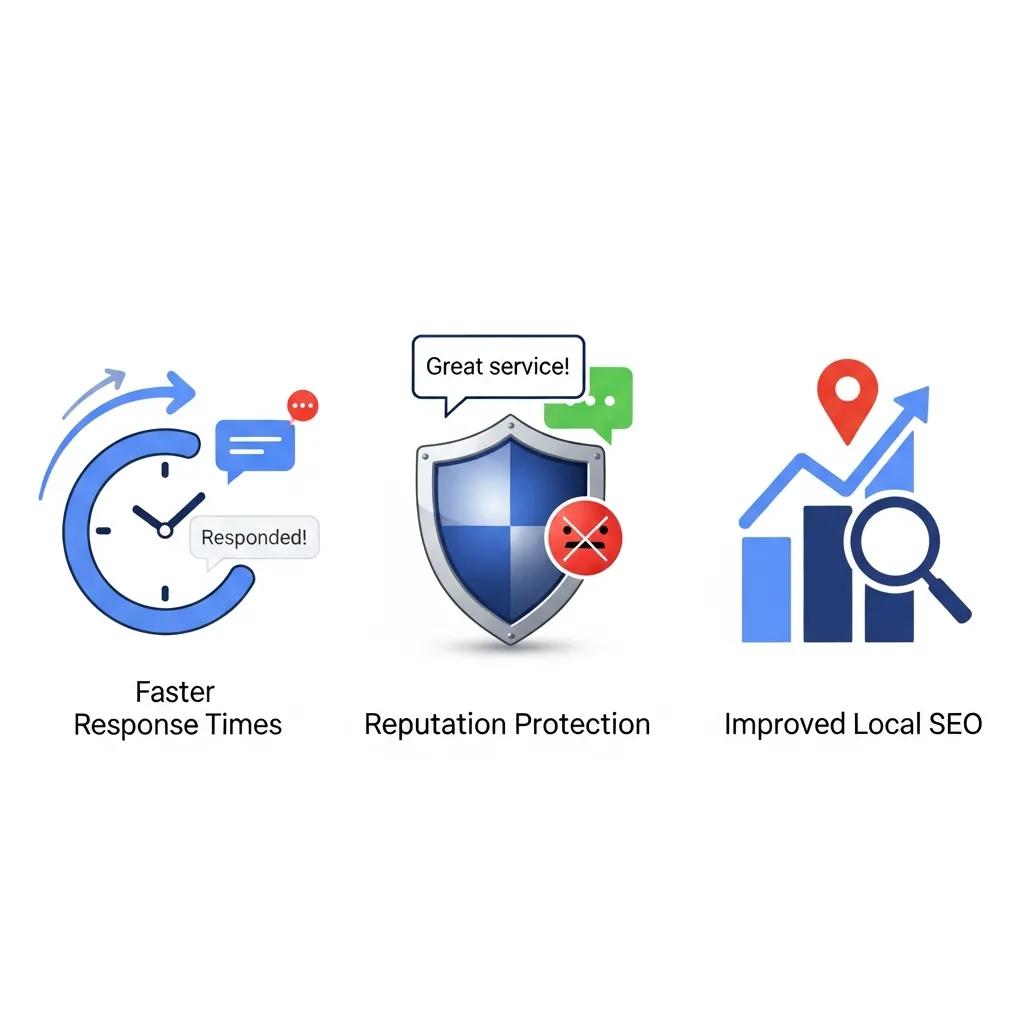
Personalized alerts deliver three practical benefits:
- Faster response and higher conversion: Immediate notifications shorten response time and increase the chances of converting inquiries.
- Reputation protection: Early detection of negative reviews or unauthorized edits limits damage and lets you remediate quickly.
- Local SEO signal improvement: Consistent, timely engagement on GBP sends positive signals that can boost local visibility.
Those points make the business case for configuring GBP notifications. Next, we’ll show how alerts improve engagement and reputation management in practice.
How personalized alerts lift customer engagement and protect your reputation
Alerts make sure you respond to messages and reviews fast—something customers interpret as reliability and care. Shortening the loop from customer action to business reply increases the chance of a positive outcome: updated reviews, repeat business, or resolved complaints. For example, a quick, sincere response to a negative review that offers a fix often leads the reviewer to amend their feedback. Prepare short response templates and routing rules so frontline staff can act without delay.
Timely, consistent responses are a core tactic in modern online reputation management.
Online review management strengthens reputation
A qualitative study of hotel review management shows how organized response processes help managers improve reputation by addressing guest feedback effectively and consistently.
The mechanism of online review management: A qualitative study, DN Coudounaris, 2015
Templates and clear routing produce predictable outcomes and feed analytics that track resolution rates and rating trends. Train your responders on tone, escalation triggers, and SLA expectations so engagement scales reliably as alert volume grows. Next, we’ll link those engagement gains to local SEO and lead generation.
What real‑time notifications do for local SEO and lead generation
Real‑time notifications increase activity on your GBP—new reviews, prompt replies, updated photos, and quick message handling—which signals relevance and responsiveness to search engines. That GBP activity → stronger behavioral signals → better local visibility pathway helps listings compete for local pack placement. From a lead‑gen view, immediate alerts cut missed calls and messages; when inquiries are handled within SLA, conversion probability rises.
Track response times and tag alert‑driven interactions in your CRM to measure ROI: alerts become touchpoints you can quantify. With structured tracking, you can show how faster responses lift direction requests, calls, and bookings—closing the loop from notification setup to revenue impact.
Which Google Business Profile notifications can you customize?
GBP offers core notification categories—review alerts, messages, Q&A, profile edits, photo uploads, and booking updates—each tied to specific triggers and delivery channels. Knowing these categories helps you map channels and actions efficiently. Below is a clear list of common notification types and what triggers them.
- Review alerts: When a customer posts or updates a review.
- Message notifications: When someone messages you through GBP.
- Q&A alerts: When a question or answer appears on your profile.
- Profile edit alerts: When users suggest changes or Google applies edits.
- Photo upload alerts: When customers add photos to your listing.
- Booking and attribute updates: When appointments or booking details change.
Notification types vary by priority and typical response. The table below summarizes triggers, delivery channels, and recommended actions to help you prioritize routing.
Intro to the notification types table: Map each alert category to its trigger, usual delivery method, and the recommended business action so you can route alerts effectively.
| Notification Type | Trigger Event | Typical Delivery Channel |
|---|---|---|
| Review Alert | New or updated review posted | Email, mobile push |
| Message Notification | Customer sends GBP message | Mobile push, email |
| Q&A Alert | New question or answer posted | Email, mobile push |
| Profile Edit Alert | User‑suggested edit applied | |
| Photo Upload Alert | New photo added to listing | Email, mobile push |
| Booking Update | Booking created/changed/canceled | Email, mobile push |
Use this matrix to map alerts to internal workflows and decide which channels and team members should receive each notification type to ensure timely, consistent action.
Which alerts cover reviews, messages, Q&A, and profile changes?
Review alerts tell you when someone posts or updates a review—prompting acknowledgement, apology, or remediation. Message notifications arrive when potential customers start a chat via GBP and usually demand quick replies and conversion steps like sharing contact details or booking links. Q&A alerts flag community questions and answers so you can provide authoritative responses that guide buyers. Profile change alerts notify you of suggested edits or changes that need verification to keep your business data accurate.
Typical responses are simple: thank and acknowledge positive reviews, address and fix issues in negative reviews, reply to messages within SLA and route leads appropriately, and verify or revert suggested profile changes to protect NAP and attributes. These habits help maintain trust and show search systems your profile is well managed.
How profile change alerts prevent unauthorized edits
Profile change alerts act as an early warning when users suggest edits to name, address, hours, or attributes, letting you audit and correct changes before they persist. The flow is detection → review → revert or confirm, which limits misinformation and protects local SEO. Common unauthorized edits include wrong categories, alternate phone numbers, or incorrect addresses—prompt alerts let you compare suggestions to your verified records.
A simple checklist speeds remediation: review the suggested change, check internal records, accept or revert with a note, and if needed report repeated or harmful edits to Google. Regularly monitoring these alerts shortens the window inaccurate information is live, preserving customer trust and reliable local signals.
How to configure your Google Business Profile notification settings, step‑by‑step
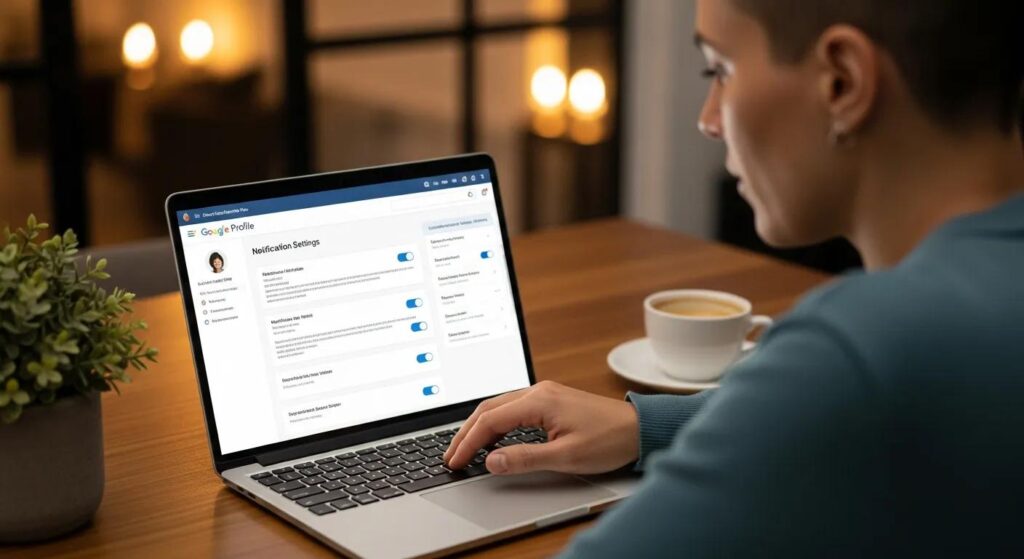
To configure GBP notifications, open the Google Business Profile dashboard or Google Maps manager settings, then enable or disable specific alert types and assign delivery methods for each manager account. The pattern is: locate settings → choose notifications → assign receivers. The goal is targeted alerts without overload. Follow the numbered guide below to set up notifications correctly.
Follow these steps to configure GBP alerts:
- Sign in to the Google Business Profile manager and choose the location or account you manage.
- Open Settings (or Notifications) and review the available categories.
- Toggle alerts on or off per category and add the email addresses or devices for each manager.
- Test key notifications by posting a test message or review and confirm delivery to the intended recipients.
After turning on notifications, audit recipients periodically and update routing to reflect role changes or volume shifts. That keeps the right people informed without creating alert fatigue.
How to find and use the GBP dashboard for alert setup
Sign in to the GBP manager, select your location, and look under Settings or Notifications to toggle alert types. In multi‑manager accounts, notifications may be tied to individual Google accounts, so coordinate across your team to avoid duplicate notifications or missed messages. Document the navigation path and maintain a single list of who receives each alert to reduce confusion and speed responses.
Tip: When several people manage a profile, name primary recipients for action and use copy recipients for visibility instead of duplicating ownership. Clear roles and simple navigation notes help new team members update notification preferences quickly. The next section compares delivery methods and offers best practices.
Best practices for email, mobile app, and SMS alerts
Pick delivery methods that balance speed with noise control: mobile push is fastest for on‑the‑go responders, email gives an audit trail and searchable threads, and SMS is best reserved for critical SLA breaches. Consider privacy and compliance when routing alerts through shared inboxes and avoid using SMS for high‑volume, low‑priority updates to reduce cost and fatigue. Use tiered routing: urgent triggers to mobile push and escalations, informational items to email for batching.
Also set filters, define escalation rules for unacknowledged alerts, and use shared inboxes or group forwarding so teams can collaborate on replies. These measures reduce missed interactions and keep customer experience consistent as volume grows.
Advanced tools and APIs that improve GBP alert management
Beyond native GBP notifications, third‑party monitoring platforms and the GBP API provide more granularity, automation, and centralized dashboards for multi‑location businesses and agencies. Third‑party tools add filtered alerts, SLA enforcement, and CRM integrations; the GBP API supports webhook automation and custom workflows. Decide whether native alerts meet your needs or if you need enterprise‑grade monitoring—at scale, third‑party platforms and API automation give centralized visibility and faster routing.
Compare alert granularity, integration options, and multi‑location support using the table below. After that, a short note explains how DockSyde Creative can help with integrations and reputation workflows.
Intro to tools comparison: Use this table to match tool capabilities to your integration needs and pick the monitoring approach that fits your operational scale.
| Tool Category | Alert Granularity | Integration Options |
|---|---|---|
| Native GBP Notifications | Basic (per‑event) | Email, mobile push |
| Third‑party Monitoring Tools | High (filters, thresholds) | CRM, messaging platforms, webhooks |
| GBP API Integration | Developer‑grade | Webhooks, custom dashboards, reporting |
For single‑location operations, native alerts often suffice. For multi‑location or agency workflows, third‑party tools or GBP API integrations provide the automation and central control needed for consistent SLAs and reporting.
DockSyde Creative — positioned as a lead generation and information hub — can help businesses implement review and citation management alongside advanced monitoring to keep local presence accurate and reputations steady. Contact DockSyde Creative to align alert routing with your operational workflows and reputation goals.
How third‑party monitoring tools give you fine‑grained control
Third‑party tools add capabilities like sentiment filtering, frequency thresholds, grouped alerts, and multi‑location dashboards that surface critical issues first. They support multi‑channel routing so high‑priority alerts go to mobile push while lower priority items go to a team inbox. Evaluate platforms for SLA enforcement, user roles, and audit trails to match your operational maturity.
Agencies should look for bulk configuration, white‑label reporting, and API connectivity to CRMs. These features reduce manual monitoring and create a consistent process across clients. The next section explains the API capabilities that enable such automation.
Benefits of integrating the GBP API for automated notifications
The GBP API enables webhooks, centralized event handling, and programmatic control of how notifications are processed and routed to internal systems. The flow is: GBP API → webhook event → CRM ticket creation, which streamlines response and reporting. API workflows let you auto‑create tickets for new reviews, tag messages by intent, and trigger escalations based on sentiment or keywords.
Benefits include fewer manual checks, consistent SLA adherence, and aggregated analytics that inform reputation strategy and local SEO. For teams with developer resources, API integration creates scalable, auditable pipelines that turn GBP events into measurable business processes.
Best practices for managing and responding to GBP alerts
Effective GBP alert management starts with an operational playbook: define roles, set SLAs per alert type, and document escalation paths so each notification produces predictable action. The pattern is define → assign → measure. Below is a checklist of core practices and a role matrix to map responsibilities and target response times.
Intro to checklist: Use this list to build foundational practices that convert notifications into dependable workflows.
- Define alert priority levels and corresponding SLA windows.
- Assign owners for each alert type and document escalation paths.
- Keep response templates and training on tone and problem‑solving.
- Integrate alerts into CRM and collaboration tools for tracking and analytics.
These practices reduce ambiguity, ensure accountability, and create measurable outcomes from alerts—making GBP monitoring a reliable source of engagement and leads.
Assigning responsibilities and ensuring timely responses
Map roles to alert types—owner, responder, escalator—and set SLA benchmarks like 1 hour for critical messages, 24 hours for reviews, and 48 hours for suggested profile edits. Clear role definitions prevent duplicated work and ensure every alert has a primary owner. Track KPIs—response time, resolution rate, escalation frequency—to monitor performance and refine processes.
Operationalize this with playbooks, example responses, and decision trees, then audit weekly to spot bottlenecks. The table below maps roles to responsibilities and target response times to help implement this structure.
Role mapping table intro: Match team roles with alert responsibilities and suggested SLA targets so you can assign and measure consistently.
| Role | Responsible For | Target Response Time |
|---|---|---|
| Owner | Initial triage and assignment | 30–60 minutes for messages |
| Responder | Crafting and sending replies | Within SLA: 1 hour (urgent), 24 hours (reviews) |
| Escalator | Handling complex or sensitive issues | Within 4 hours of escalation |
| Auditor | Weekly review of metrics and trends | Weekly audit and report |
Use this role matrix to create accountability, measure outcomes, and adjust SLAs based on volume and resources.
How integrating alerts with CRM and communication tools streamlines workflow
Connecting GBP alerts to CRM and collaboration tools creates a single workflow where notifications auto‑create tickets, assign owners, and log outcomes for follow‑up. This reduces manual handoffs, ensures consistent tagging for conversion tracking, and lets marketing and sales act on inbound interest quickly. Typical integration points include ticket creation, customer record linking, response templates, and analytics tagging.
Example workflows: auto‑create a CRM lead when a message shows booking intent, tag reviews for sentiment analysis, and route urgent issues to on‑call staff via messaging platforms. These integrations close the loop from detection to revenue action, making GBP monitoring part of your sales and service engine.
Operationally, DockSyde Creative’s review and citation management services complement these integrations by providing hands‑on monitoring and ongoing local presence upkeep—helping businesses keep data accurate and responses timely without taxing internal teams.
How personalized GBP alerts protect your profile and boost online presence
Personalized alerts act as an early‑warning layer that picks up spam, unauthorized edits, and suspicious activity so you can intervene before it affects customers or search visibility. The cycle—monitoring → verification → remediation—reduces misinformation risk and preserves the integrity of your listings. Regular alerts plus routine audits form a defense‑in‑depth approach that maintains trust and supports steady online visibility.
The next section lists practical steps you can use to prevent unauthorized changes and spam using alerts.
Strategies to prevent unauthorized profile changes and spam
To prevent unauthorized edits and spam, set a monitoring cadence, verification checks, and reporting flows that triage suggested edits and flag suspicious activity for review. Practical steps: enable profile‑change alerts, validate suggestions against internal records, revert incorrect edits via the GBP dashboard, and report recurring abuse to Google. Limit manager access and rotate credentials when staff change to reduce insider risk.
Use a routine audit checklist—review recent edits, confirm NAP consistency, and scan for odd photo uploads—to catch issues early and keep your profile accurate. These defensive practices, backed by timely alerts, protect customer trust and your profile’s lead‑generation value.
How timely alert responses build trust and drive growth
Responding to GBP alerts quickly signals attentiveness and accountability, which boosts customer trust and increases conversion and repeat business. For example, a local business that answered messages within an hour saw more bookings and improved reviews—showing how responsiveness translates into measurable growth. The chain is clear: faster replies increase satisfaction, which improves reviews and local search performance.
Measure impact by tagging alert interactions in your CRM and tracking rating trends. As alerts feed these workflows, you can attribute revenue gains to better response performance and adjust staffing and routing to maximize results.
DockSyde Creative offers implementation support for review and citation management, helping businesses scale these practices without overloading internal teams.
For help setting up or optimizing Google Business Profile notifications and for hands‑on review or citation management, contact DockSyde Creative to align alerts with your lead generation and reputation goals.
Frequently asked questions
What’s the difference between native GBP notifications and third‑party monitoring tools?
Native GBP notifications are simple, event‑based alerts for things like reviews and messages. Third‑party monitoring tools add filtering, sentiment analysis, thresholds, and multi‑location dashboards. They automate workflows, enforce SLAs, and integrate with CRMs—making them a better fit for businesses with complex or multi‑location needs. Choose based on your scale and customization requirements.
How do I make sure my team manages GBP alerts effectively?
Create an operational playbook that defines roles, responsibilities, and response times for each alert type. Assign team members for triage, responses, and escalations. Track KPIs like response time and resolution rate, and run regular audits to find bottlenecks. Clear processes ensure every alert gets a timely, appropriate action.
What are best practices for responding to negative reviews via GBP alerts?
Respond quickly and professionally. Acknowledge the issue, offer a solution, and keep the tone constructive. Use templates for consistency but personalize where needed. Invite the reviewer to follow up or update their feedback after resolution, and track these interactions in your CRM to spot trends and improve future responses.
How can I measure whether my GBP alert strategy is working?
Track metrics like response times, resolution rates, and customer satisfaction. Tag alert‑driven interactions in your CRM and measure conversion rates from inquiries to sales. Review these metrics regularly and solicit customer feedback on responsiveness to understand the strategy’s impact on trust and growth.
Can I customize how often GBP sends alerts?
Yes. In GBP notification settings you can enable or disable specific alert types. Some third‑party tools offer more granular control—letting you set frequency thresholds and consolidate alerts to prevent fatigue while keeping you informed about critical events.
What role does training play in managing GBP alerts?
Training is essential. Teach responders how to use templates, maintain the right tone, follow escalation procedures, and use monitoring tools. Regular refreshers keep standards high and ensure teams handle alerts efficiently, improving customer experience and performance.
How does integrating GBP alerts with a CRM improve operations?
Integrating alerts with your CRM automates ticket creation for new inquiries, links interactions to customer records, and tracks outcomes. This streamlines follow‑up, helps prioritize leads, and provides data for analysis. Tying alerts into your CRM makes GBP monitoring an active part of sales and service workflows and improves conversion tracking.